How to Use Claude Skills in OpenAI Codex
How to Use Claude Skills in OpenAI Codex
The same SKILL.md file works in both. Here's the recipe, the gotchas, and what changed in 2026.
TL;DR
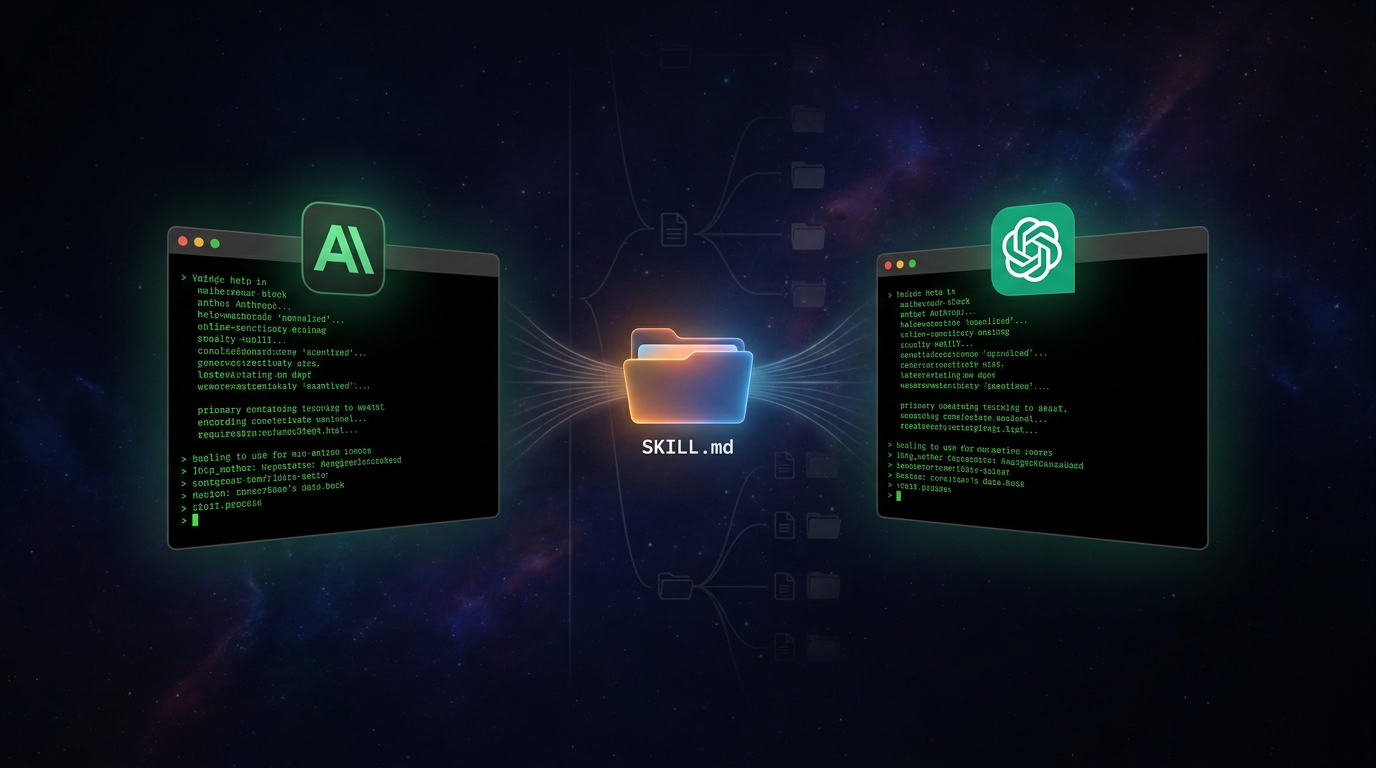
Claude Skills and OpenAI Codex Skills now use the same on-disk format. Anthropic open-sourced the SKILL.md spec on December 18, 2025 at agentskills.io, and OpenAI shipped native support in Codex within two weeks. Claude reads skills from .claude/skills/. Codex reads from .agents/skills/. The SKILL.md file is byte-for-byte identical. A single symlink (ln -s .claude/skills .agents/skills) makes one project work in both agents. Project instructions go in AGENTS.md (read by Codex, Cursor, Copilot, Aider, and Claude as a fallback). The only major surprise: Codex caps the skills list at ~2% of context window, so adding skill #50 can silently push #49 out.
Key Takeaways
- Skills are now a cross-platform open standard, not a Claude-only feature. Codex, GitHub Copilot, Mistral Vibe, OpenCode, and Google AI Edge Gallery all read the same
SKILL.mdformat defined at agentskills.io. - The folder names are different, the contents are not. Claude scans
.claude/skills/and~/.claude/skills/. Codex scans.agents/skills/and~/.agents/skills/. A symlink ties them together with zero duplication. - AGENTS.md replaces CLAUDE.md as the canonical project-instructions file. It is stewarded by the Linux Foundation, adopted by 60,000+ open-source repositories, and read natively by Codex, Cursor, Copilot, Aider, and (as a fallback) Claude Code.
- The 2% context cap is the only hidden gotcha worth knowing. Install too many skills and Codex shortens descriptions or omits them entirely from the initial list. Skills you author should front-load their trigger words.
Table of Contents
- What Skills Actually Are
- Why This Suddenly Matters
- The File Layout
- The Five-Minute Conversion Recipe
- The 2% Cap Nobody Mentions
- The Setup
I run the same projects in both Claude Code and OpenAI Codex. Not because I'm indecisive, but because each agent has moments where the other one gets stuck. Sometimes Claude misreads the intent of a refactor and Codex catches it in one shot. Sometimes Codex blows past a subtle bug that Claude spots immediately.
For a long time, switching between them meant duplicating context: a CLAUDE.md and an AGENTS.md, two skills folders, two sets of subagents. By May 2026, that has changed. The format converged. The recipe is now boring. And boring is what you want from infrastructure.
This is the post I wish existed when I started.
Here are both agents on my machine right now, pointed at the same ~/work directory:

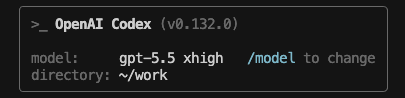
Same directory. Same project. Same skills folder. Two different agents.
What Skills Actually Are
A skill is a folder with a SKILL.md file inside it. That's it.
The SKILL.md has YAML frontmatter at the top and Markdown instructions below. The agent reads the frontmatter on startup, indexes the name and description, and only loads the rest of the file when it decides the skill is relevant to the current task.
---
name: humanizer
description: Remove signs of AI-generated writing from text. Use when editing or reviewing drafts to make them sound more natural.
---

# Humanizer

Read the input text and apply these rules:

1. Replace em dashes with periods or commas.
2. Cut the predictable AI outline (intro, three pillars, conclusion).
3. Add specific verbs in place of vague verbs like "leverage" or "utilize."
4. Remove negative parallelisms ("not just X, but Y").
5. Keep the original meaning. Do not invent facts.
That's a real skill. I use it for every blog draft I write. Claude auto-invokes it when I ask for a humanization pass. Codex does the same thing if I drop the folder into .agents/skills/.
The official structure looks like this:
my-skill/
├── SKILL.md          # Required: instructions + metadata
├── scripts/          # Optional: executable scripts
├── references/       # Optional: longer reference docs
└── assets/           # Optional: templates, images, data
That layout comes from the agentskills.io specification, and it works identically in both agents.
Why This Suddenly Matters
If you tried this six months ago, the experience was rough. Claude Skills launched in October 2025. For two months, "using Claude Skills in Codex" meant rewriting them by hand, hoping you didn't break the YAML, and praying the agent could still find them.
Three things changed:
- December 12, 2025. OpenAI quietly added experimental skill support to the Codex CLI behind a feature flag. Simon Willison documented the rollout. At that point the folder was
~/.codex/skills/. - December 18, 2025. Anthropic open-sourced the SKILL.md format as a cross-platform standard. The spec moved to a community-governed repo at agentskills.io.
- Early January 2026. OpenAI moved Codex skills to
.agents/skills/to align with the new standard, and shipped GA support in CLI, IDE extension, and the Codex app.
By mid-January 2026, the same SKILL.md file ran unmodified in Claude Code, Codex, GitHub Copilot, Mistral Vibe, OpenCode, and a half-dozen others. That convergence happened in less than ninety days. It is the fastest cross-vendor standardization I've seen in AI tooling.
The File Layout
Here's the practical mapping between Claude Code and Codex. Memorize this and you're 90% of the way there.
| Concept | Claude Code | Codex |
|---|---|---|
| Project instructions | CLAUDE.md | AGENTS.md |
| Personal config dir | ~/.claude/ | ~/.codex/ |
| Personal skills | ~/.claude/skills/ | ~/.agents/skills/ |
| Project skills | .claude/skills/ | .agents/skills/ |
| Subagents | .claude/agents/*.md | .codex/agents/*.toml |
| Slash invocation | /skill-name | $skill-name |
| Settings file | .claude/settings.json | ~/.codex/config.toml |
Two things to notice.
First, skills and subagents live in different folders in Codex. Skills are in .agents/ because they're an open cross-platform standard. Subagents are in .codex/ because they're still Codex-specific. The folder names tell you the governance story.
Second, Codex actually walks up the directory tree looking for .agents/skills/. From the Codex docs: "Codex scans .agents/skills in every directory from your current working directory up to the repository root." So you can put repo-wide skills at the root, microservice-specific skills inside a sub-folder, and Codex layers them automatically.
Claude Code does the same with .claude/skills/. Both agents support symlinks for these folders. That's the entire reason the symlink trick works.
The Five-Minute Conversion Recipe
If you have an existing Claude Code project and want Codex to use the same skills and instructions, here's the entire recipe.
Step 1: Add an AGENTS.md.
If you already have a CLAUDE.md, you have two options. The minimalist version is a one-liner:
# AGENTS.md

Strictly follow the rules in ./CLAUDE.md.
That's it. Codex reads AGENTS.md, Codex sees the pointer, Codex loads the CLAUDE.md content. Done.
The cleaner version is the opposite. Make AGENTS.md the canonical source of truth and have CLAUDE.md defer to it:
# CLAUDE.md

Strictly follow the rules in ./AGENTS.md.
Pick whichever order matches your team. AGENTS.md is the broader standard now (read by Codex, Cursor, Copilot, Aider, OpenCode, Goose, and Claude as a fallback), so I lean toward making it the canonical file.
Step 2: Symlink the skills folder.
ln -s .claude/skills .agents/skills
If the .agents/ directory doesn't exist yet, create it first. The Codex docs confirm symlink support: "Codex supports symlinked skill folders and follows the symlink target when scanning these locations."
Step 3: Decide what to do about subagents.
This is the only part of the migration that's not zero-cost. Codex subagents are TOML files. Claude Code subagents are Markdown files with YAML frontmatter. They look different. They invoke differently.
If you only have one or two subagents, port them by hand. It's a five-minute job. If you have many, ask either agent: "Convert my .claude/agents/code-reviewer.md to a Codex TOML file at .codex/agents/code-reviewer.toml. Reference the Codex subagents docs."
Step 4: Verify both can see your skills.
In Claude Code, run /skills. In Codex, type $ and hit tab. Both should list the same skills. If they don't, restart the agent (Codex caches skill discovery; restarts force a rescan).
Total time: under five minutes for most projects. Under thirty minutes if you have a lot of subagents to port.
The 2% Cap Nobody Mentions
This one tripped me up the first time I installed a lot of skills.
From the Codex skills documentation: "To avoid crowding out the rest of the prompt, this list is capped at roughly 2% of the model's context window, or 8,000 characters when the context window is unknown. If many skills are installed, Codex shortens skill descriptions first. For very large skill sets, some skills may be omitted from the initial list, and Codex will show a warning."
In plain terms: the agent only knows about a skill if its name and description fit inside that 2% budget. If you install 50 skills with 200-character descriptions each, you're already at 10,000 characters, and Codex starts trimming.
Three implications:
- Front-load your trigger words. The first sentence of the description is what survives a truncation pass.
- Be ruthless with which skills you install globally. Anything that lives in
~/.agents/skills/is loaded on every project, every prompt, forever. Save the niche stuff for project-scoped folders. - Disable noisy skills you don't need right now. Codex supports a per-skill disable flag in
~/.codex/config.toml:
[[skills.config]]
path = "/path/to/skill/SKILL.md"
enabled = false
Claude Code has a similar pattern via .claude/settings.json. The point is: skills are not free, and the budget is invisible until you blow past it.
One caveat worth flagging before the setup steps: skills inherit the full permissions of the agent that runs them. Shell access, filesystem read/write, environment variables, message sending. A malicious SKILL.md can prompt-inject your agent into running arbitrary commands. Snyk's audit in February 2026 found that 13.4% of community-published skills had a critical security flaw. Read the SKILL.md before you install anything from an author you haven't verified, and lean on first-party marketplaces like anthropics/skills and openai/skills. I'll have a deeper post on the security side soon.
The Setup
If you want to try this right now:
- Install both agents. Claude Code via
npm install -g @anthropic-ai/claude-code. Codex CLI via the official installer. - Pick one project. Don't migrate everything at once. Start with a project you actively use.
- Run the conversion recipe. AGENTS.md pointing at CLAUDE.md (or vice versa), symlink skills, port subagents.
- Use both for a week. I keep one terminal tab for Claude, one for Codex, and switch when one of them gets stuck. The session-handoff pattern is worth its own post.
- Audit your skills. Run
uvx mcp-scan@latest --skills. Delete anything from an author you don't recognize.
The barrier to entry is genuinely low. The leverage compounds the more skills you build.

The skills you build today should outlive the agent you build them in. The format finally caught up.

AI Consultant. 9+ years building production AI. Previously Chief Data Scientist at recruitRyte. IIT Dhanbad.